
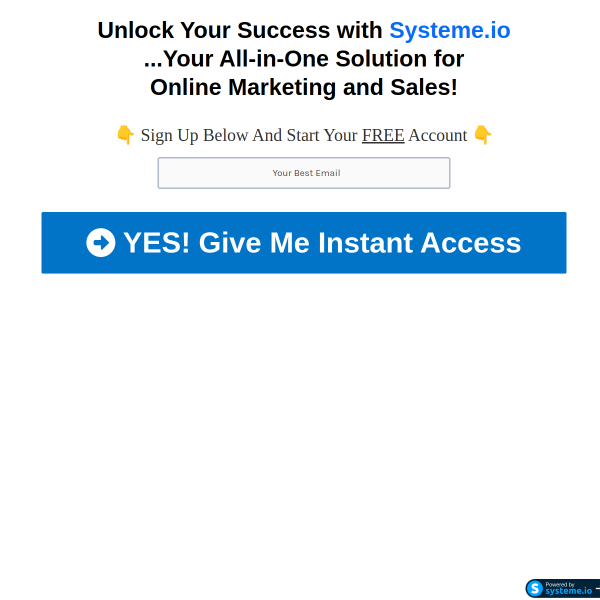
Free Highly Converting Landing Page for All Your Online Business
Systeme.io makes it super easy to build beautiful landing pages for free — no tech skills, no coding, no paid plan required. Just follow these steps:
Step 1: Create a Free Systeme.io Account
- Go to systeme.io
- Click “Get Started for Free”
- Sign up using your email
- Verify your email and log in
You now have access to the free plan with:
- Landing pages
- Funnels
- Email marketing
- Automation
- Courses
All completely FREE.
Step 2: Go to “Funnels”
Inside your dashboard:
- Click “Funnels” on the left menu
- Click the blue button “Create”
Step 3: Choose Your Funnel Goal
Name your funnel → Example: “Free Guide Opt-in”
Then select your goal:
- Build an Audience → best for landing pages
- Sell → if you want to sell a product
- Create a Custom Funnel → flexible option
Click Save.
Step 4: Choose a Landing Page Template
After creating the funnel, Systeme.io automatically creates 2 steps:
- Squeeze Page (Landing Page)
- Thank You Page
Click on Squeeze Page → then select a template.
Systeme.io has:
- Clean opt-in templates
- Ebook download pages
- Webinar signup pages
- Affiliate lead capture layouts
Click “Select” on the template you like.
Step 5: Customize Your Landing Page
Click “Edit Page” to open the drag-and-drop editor.
You can customize:
✔ Headline
Tell people exactly what they get
Example:
“Free 3-Step Guide to Start Affiliate Marketing Today”
✔ Subheadline
Explain the benefit
Example:
“Learn how beginners use free tools like Systeme.io to start earning online.”
✔ Opt-in Form
Make sure to include:
- Name
- A clear button:
- “Get Instant Access”
- “Download Free Guide”
✔ Images or mockups
Upload your ebook cover or relevant images.
✔ Colors + Layout
Keep it simple and clean.
Don’t overload the page.
Everything is drag & drop — no coding.
Click Save.
Step 6: Set Your Thank You Page
After the user submits their email, they should go to a “Thank You” page.
Systeme.io already creates one for you.
Edit it with:
- A thank-you message
- Instructions (download, check email, etc.)
- Your affiliate link (optional)
Click Save.
Step 7: Connect Your Email Sequence (Optional but Powerful)
If you're giving away something free, send it by email automatically.
- Go to Emails → Campaigns
- Create a new campaign
- Write your welcome email
- Add your free download link / message
- Save
Now connect it:
- Go to Automation Rules inside your funnel
- Add rule: Funnel Step Form Subscribed
- Add action: Subscribe to Campaign
Done!
Anyone who enters their email → gets your automated email.
Step 8: Publish Your Landing Page
Click on your landing page URL at the top of the funnel.